Multiplayer Co-oP Mod latest









646.163
844
646.163
844
BE SURE TO DOWNLOAD FROM THE LINK BELOW NOT THE GREEN BUTTON, OTHERWISE YOU ARE NOT UP-TO-DATE:
Client Releases
(you probably want this)
Server Releases
Disclaimer
I am NOT the initial author of this mod, but he is working on something else so i take care of the development with his permission.
Old Mod: https://www.gta5-mods.com/scripts/multiplayer-co-op
This has nothing to do with the Online mode, so you will not get banned.
Due to technical limitations, the synchronization is crap, and many glitches will happen. Please do not try to make constructive criticism about it cause it will most likely never change and if you can't live with it, use one of the external
MP mods (FiveReborn, MultiFive, etc...).
Description
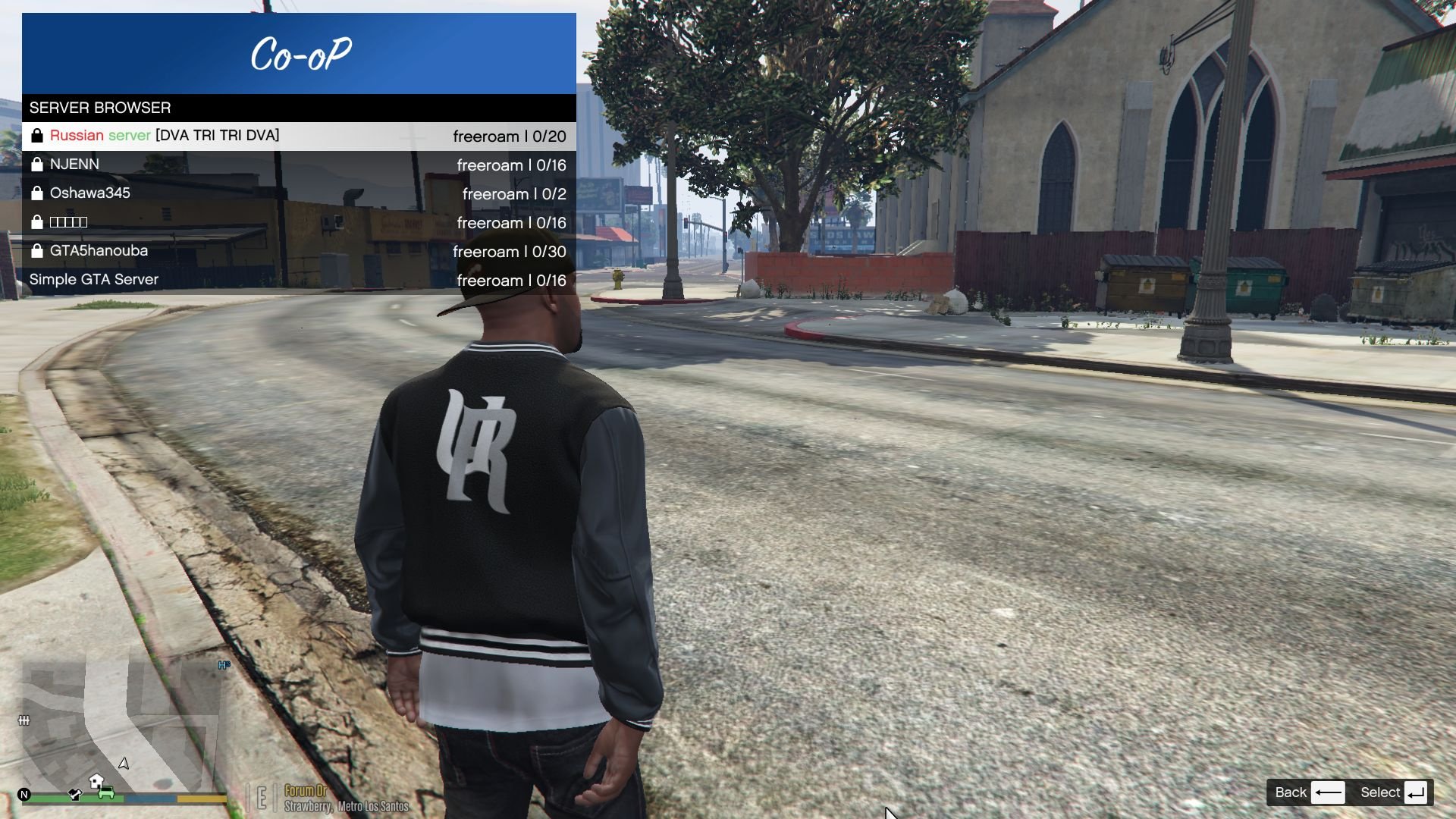
Ever dreamed of a cooperative mode in a grand theft auto game? Well, now it's a reality, sort of. You can complete missions with your friends, experience the joys of heisting with random people, or just drive around the interstate with your buddy.
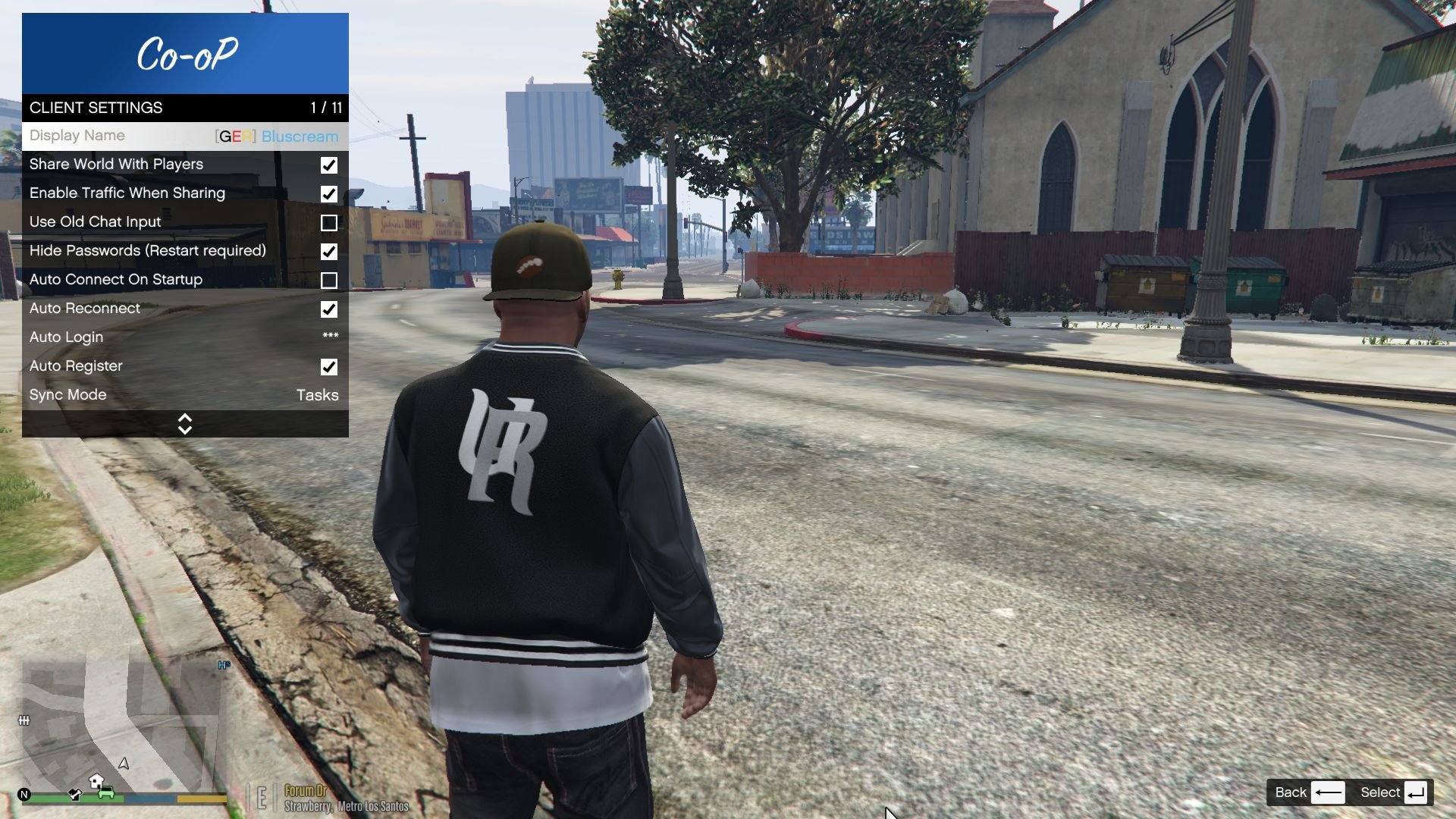
You can share your game's NPCs by checking Share World With Players in the Settings submenu.
Enter as passenger by pressing G and talk in chat by pressing T
Installation
1. Drag & drop all the contents of the 'client' zip archive into your GTA V root folder.
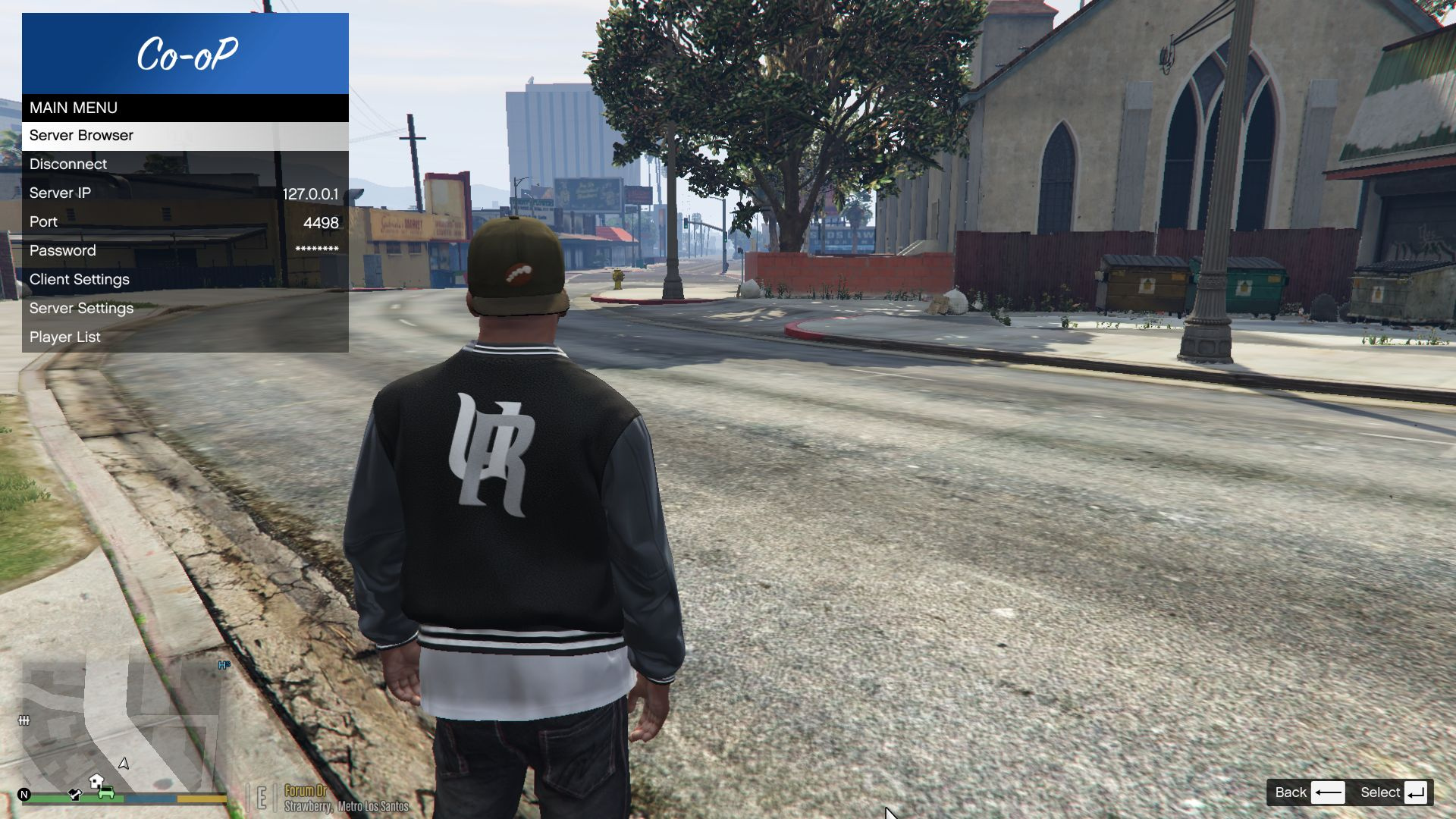
2. Once in-game, press F9 to open the menu, and connect to a server.
3. Note that if you are playing offline, you'll need to change your name in in GTACOOPSettings.xml found in your scripts/ folder.
Server hosting
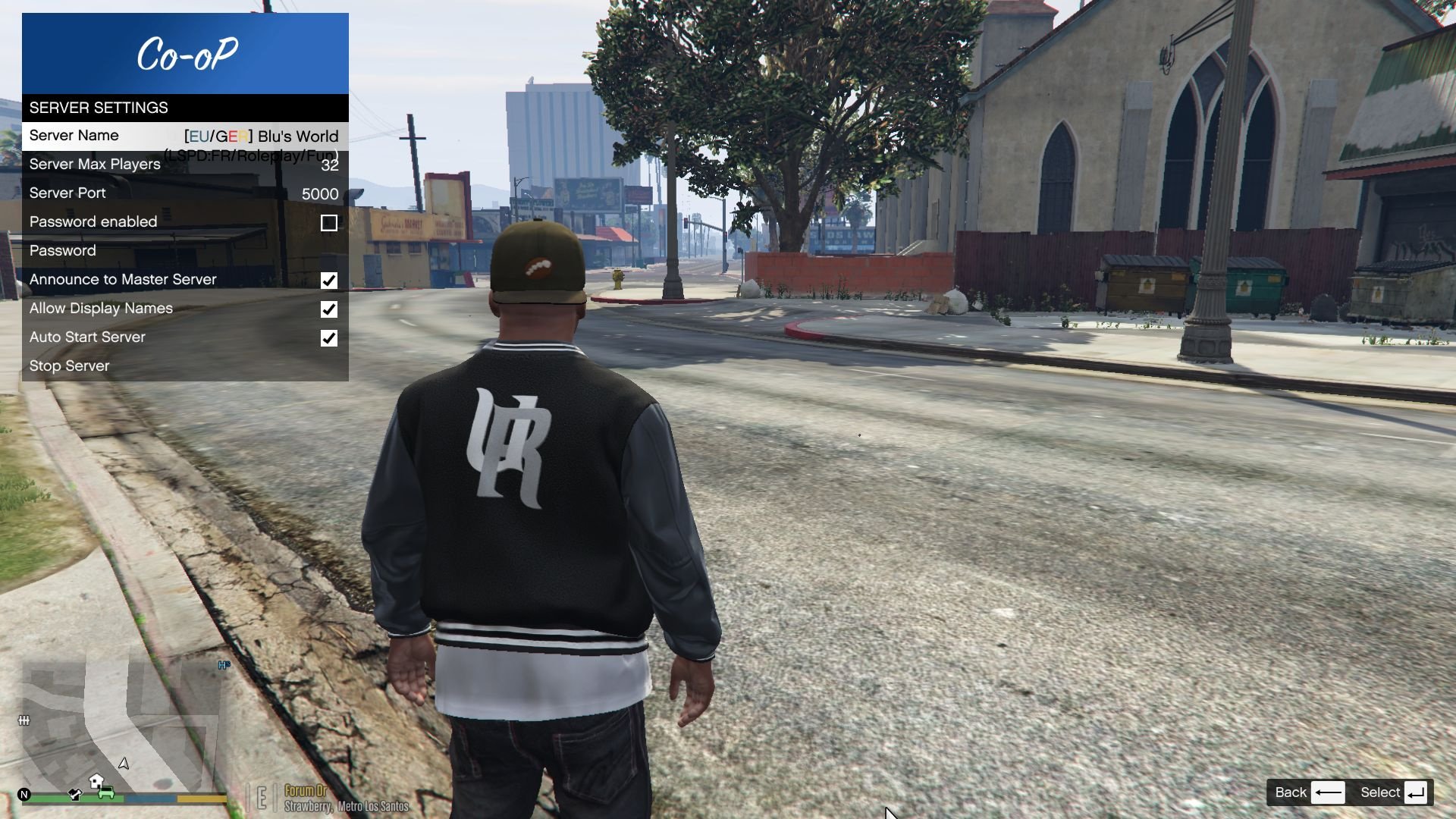
You can host your own server too! Just extract all contents of the server.zip anywhere you want and run GTAServer.exe. A Settings.xml file will be created where you will be change a number of options, like the server name, password, or whether announce yourself to the master server list.
Note that you need to port forward the specified UDP port.
Server Side Scripting
You can create filterscripts & gamemodes by referencing GTAServer and inheriting from ServerScript class. Then place your dll in the filterscripts or gamemodes folder, and add it to the Settings.xml file.
Issues? Suggestions?
Please post them here.
Changelog
Tha changelog for versions after 0.9 can be found on Github
All sourcecode is freely available at Github
Credits
Client Releases
(you probably want this)
Server Releases
Disclaimer
I am NOT the initial author of this mod, but he is working on something else so i take care of the development with his permission.
Old Mod: https://www.gta5-mods.com/scripts/multiplayer-co-op
This has nothing to do with the Online mode, so you will not get banned.
Due to technical limitations, the synchronization is crap, and many glitches will happen. Please do not try to make constructive criticism about it cause it will most likely never change and if you can't live with it, use one of the external
MP mods (FiveReborn, MultiFive, etc...).
Description
Ever dreamed of a cooperative mode in a grand theft auto game? Well, now it's a reality, sort of. You can complete missions with your friends, experience the joys of heisting with random people, or just drive around the interstate with your buddy.
You can share your game's NPCs by checking Share World With Players in the Settings submenu.
Enter as passenger by pressing G and talk in chat by pressing T
Installation
1. Drag & drop all the contents of the 'client' zip archive into your GTA V root folder.
2. Once in-game, press F9 to open the menu, and connect to a server.
3. Note that if you are playing offline, you'll need to change your name in in GTACOOPSettings.xml found in your scripts/ folder.
Server hosting
You can host your own server too! Just extract all contents of the server.zip anywhere you want and run GTAServer.exe. A Settings.xml file will be created where you will be change a number of options, like the server name, password, or whether announce yourself to the master server list.
Note that you need to port forward the specified UDP port.
Server Side Scripting
You can create filterscripts & gamemodes by referencing GTAServer and inheriting from ServerScript class. Then place your dll in the filterscripts or gamemodes folder, and add it to the Settings.xml file.
Issues? Suggestions?
Please post them here.
Changelog
Tha changelog for versions after 0.9 can be found on Github
All sourcecode is freely available at Github
Credits
Poprvé nahráno: 22. Červenec 2016
Poslední aktulizace: 01. Říjen 2018
Last Downloaded: před 2 minutami
912 Komentářů
BE SURE TO DOWNLOAD FROM THE LINK BELOW NOT THE GREEN BUTTON, OTHERWISE YOU ARE NOT UP-TO-DATE:
Client Releases
(you probably want this)
Server Releases
Disclaimer
I am NOT the initial author of this mod, but he is working on something else so i take care of the development with his permission.
Old Mod: https://www.gta5-mods.com/scripts/multiplayer-co-op
This has nothing to do with the Online mode, so you will not get banned.
Due to technical limitations, the synchronization is crap, and many glitches will happen. Please do not try to make constructive criticism about it cause it will most likely never change and if you can't live with it, use one of the external
MP mods (FiveReborn, MultiFive, etc...).
Description
Ever dreamed of a cooperative mode in a grand theft auto game? Well, now it's a reality, sort of. You can complete missions with your friends, experience the joys of heisting with random people, or just drive around the interstate with your buddy.
You can share your game's NPCs by checking Share World With Players in the Settings submenu.
Enter as passenger by pressing G and talk in chat by pressing T
Installation
1. Drag & drop all the contents of the 'client' zip archive into your GTA V root folder.
2. Once in-game, press F9 to open the menu, and connect to a server.
3. Note that if you are playing offline, you'll need to change your name in in GTACOOPSettings.xml found in your scripts/ folder.
Server hosting
You can host your own server too! Just extract all contents of the server.zip anywhere you want and run GTAServer.exe. A Settings.xml file will be created where you will be change a number of options, like the server name, password, or whether announce yourself to the master server list.
Note that you need to port forward the specified UDP port.
Server Side Scripting
You can create filterscripts & gamemodes by referencing GTAServer and inheriting from ServerScript class. Then place your dll in the filterscripts or gamemodes folder, and add it to the Settings.xml file.
Issues? Suggestions?
Please post them here.
Changelog
Tha changelog for versions after 0.9 can be found on Github
All sourcecode is freely available at Github
Credits
Client Releases
(you probably want this)
Server Releases
Disclaimer
I am NOT the initial author of this mod, but he is working on something else so i take care of the development with his permission.
Old Mod: https://www.gta5-mods.com/scripts/multiplayer-co-op
This has nothing to do with the Online mode, so you will not get banned.
Due to technical limitations, the synchronization is crap, and many glitches will happen. Please do not try to make constructive criticism about it cause it will most likely never change and if you can't live with it, use one of the external
MP mods (FiveReborn, MultiFive, etc...).
Description
Ever dreamed of a cooperative mode in a grand theft auto game? Well, now it's a reality, sort of. You can complete missions with your friends, experience the joys of heisting with random people, or just drive around the interstate with your buddy.
You can share your game's NPCs by checking Share World With Players in the Settings submenu.
Enter as passenger by pressing G and talk in chat by pressing T
Installation
1. Drag & drop all the contents of the 'client' zip archive into your GTA V root folder.
2. Once in-game, press F9 to open the menu, and connect to a server.
3. Note that if you are playing offline, you'll need to change your name in in GTACOOPSettings.xml found in your scripts/ folder.
Server hosting
You can host your own server too! Just extract all contents of the server.zip anywhere you want and run GTAServer.exe. A Settings.xml file will be created where you will be change a number of options, like the server name, password, or whether announce yourself to the master server list.
Note that you need to port forward the specified UDP port.
Server Side Scripting
You can create filterscripts & gamemodes by referencing GTAServer and inheriting from ServerScript class. Then place your dll in the filterscripts or gamemodes folder, and add it to the Settings.xml file.
Issues? Suggestions?
Please post them here.
Changelog
Tha changelog for versions after 0.9 can be found on Github
All sourcecode is freely available at Github
Credits
Poprvé nahráno: 22. Červenec 2016
Poslední aktulizace: 01. Říjen 2018
Last Downloaded: před 2 minutami
 5mods on Discord

I JUST DON'T HAVE TIME TO CHECK THIS COMMENT SECTION HERE, SO IF YOU ENCOUNTER A BUG, POST IT HERE: https://github.com/Bluscream/GTACoop/issues/new AND IF YOU HAVE OTHER QUESTIONS VISIT OUR DISCORD SERVER: https://discord.gg/ww7DthF
why does everyone i run into in the servers just say urtle i dont get it
How do I install it and get it working can you please make a descriptive tutorial FOR WIN 10 AND 11
i downloaded the new version of coop mod from github and its now working. I installed it for my gta and press f9 and its not works. I downloaded it correctly there is no mistaces
installed it but lagging when try to shot someone why is that? also tried to play with fried it runs smooth by when try to kill its lagging
So, i installed this mod and pressed F9, Then I tried to search for servers. And after i pressed button, my GTA V lagged. Then i opened console (F4), and it showed me, that script was blocked. What i suppose to do?
i installed the mod perfect correctly and when im in game pressing f9 isnt working. Please someone help discord:body_world22
я все правильно установил но когда нажимаю на f9 то ничего не происходит
It's really unsynced 2stars
@EpikTehEpik they are trying to type "turtle" but because the keybind to chat is "t" the chat only picks "urtle".
Does anybody know much about server plugins and coding and what’s possible with this mod? Working on a server, would like to see what’s out there
can this be played with nucleus coop 2 player split screen ? would be the greatest thing to have gta v split screen gaming on my steam deck or laptop anywhere.
The mod is unsynced, and it only let's you see the other players. You cannot interact with the other players.
Can I use car mods and let other players use them too?
can i play Missions with my friends?
dll hxd AppendAllText
glês
Can someone help me? I created the server with the server file and it appears for me in F9, but it doesn't appear for my friends, even though the option to show it is enabled. What do I do to make it appear for my friends? Do I need to do anything else besides enabling port 4499 UDP? I went into the modem settings and it appears as inactive. Is that normal? My server doesn't appear for them, only for me. I can join other people's servers, but they can't join mine.
I can't kill the NPCs that appear from my friend's world. Even though we both have the option to share NPCs enabled. Is there a solution for this?
@oldnapalm Thanks for the more updated version of this mod.
Is it normal that our traffic spawn-piles up on each other?|
Guessing this has to do with NPC sharing, are there more options for this to up the refresh rate & distance?
what i need to do to fix this fuhin mod, when I play with this bastard mod, I constantly see desync with players as if they were playing on a gamepad, for example, when I was playing with my friend and he got up in AFK and he started spinning, even when we were playing with a friend, he couldn't kill the NPCs I saw, but for some reason I could kill them myself and He's not, and I'm wondering why when my friend sees cars they're duplicated into a lot of cars. if you see that can you fix this, annoying issues
Немного о моём опыте пользования этим модом за половину суток проведенных в игре:
Установка не вызвала никаких трудностей, достаточно было иметь установленные ScriptHookVDotNetEnhanced ( т.к. у меня GTA V Enhanced ) и Asi Loader который идёт вместе с ScriptHookV. Этот мультиплейерный клиент устанавливается просто - в папке с игрой создаём, если такой нет, папку scripts и кидаем туда всё что есть в архиве -- готово. В игре прожимаем F9 и подключаемся к одному из серверов.
Теперь о том как у меня проходила игра на серверах - пока я один в машине - всё норм. Если кто-то подсядет или я к кому-то подсяду - нам капздец! Часто создаётся дубликат машины и, из соображений синхронизации, одна начинает толкать другую машину, пока один из пассажиров не покинет транспорт. И так всегда - чуть проехали и снова начинается толкучка машинами.
Вместе побегать позабавиться нормально - но на продолжительной основе - не катит. Спасибо большое за неоценимый вклад в развитие комьюнити, но моему придирчивому лицу не хватило стабильности