Playable Online Character 4.1 (Change Character Key for Latest Game Patch)
.png)
32.151
320
32.151
320
IMPORTANT! YOU NEED THIS TO PREVENT CRASHES WHEN SCROLLING THOUGH CLOTHES
As of 4.1 Load Character key has been changed to F10 (Index 249)
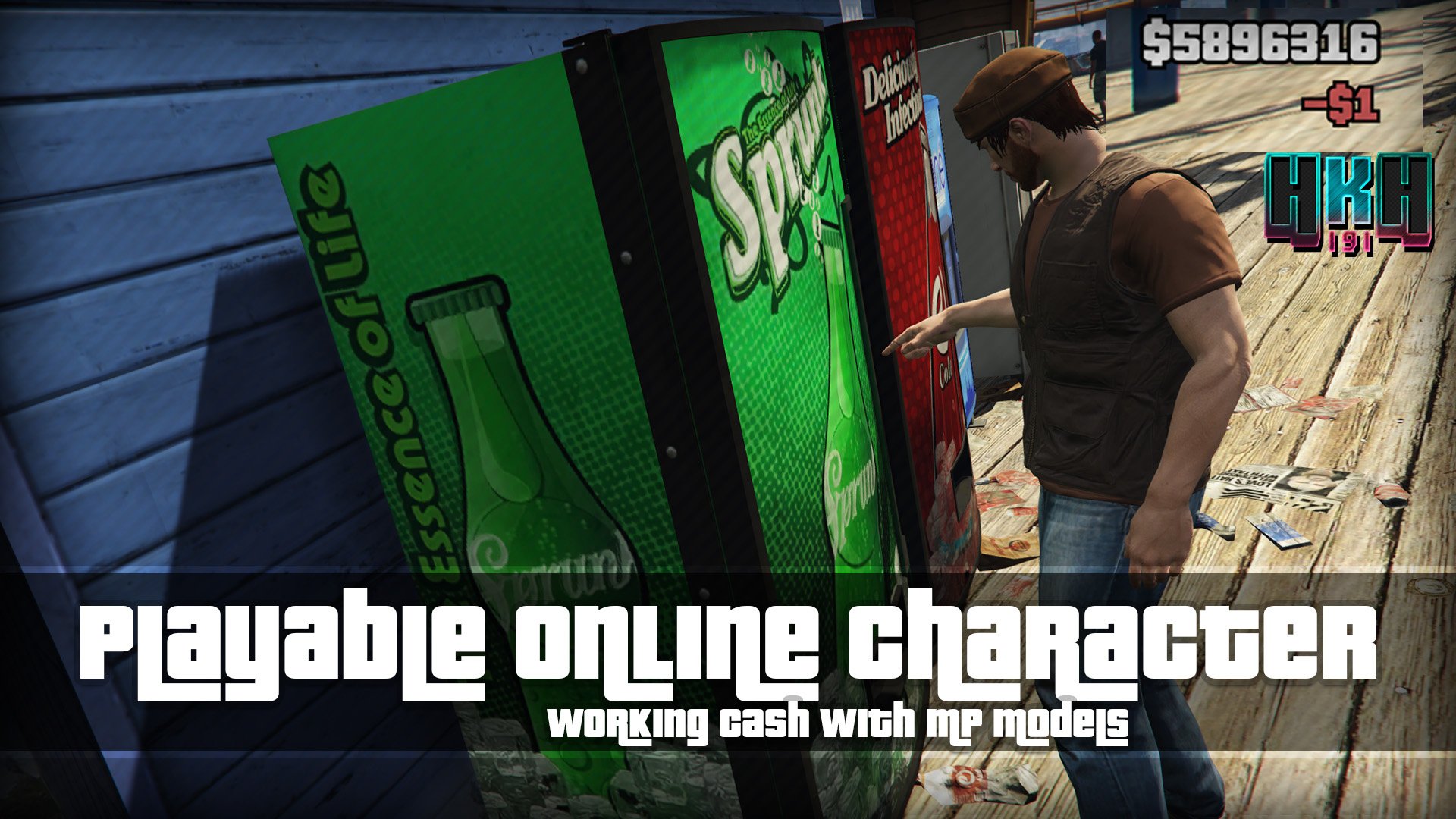
Playable Online Character is a script that allows the user to play as a Multiplayer Male or Mutliplayer female, without the need to tinker with complicated character swap mods like Character Swap or Jupiter's Character Swap, the mod comes with an built in function for loading a character, and customizing said character, the mod comes with two slots for characters, one for Male, and one for Female, each character can be completly different, choose from over 500 Outfits premade from GTA Online.
Customizing Characters Look or Changing Slots
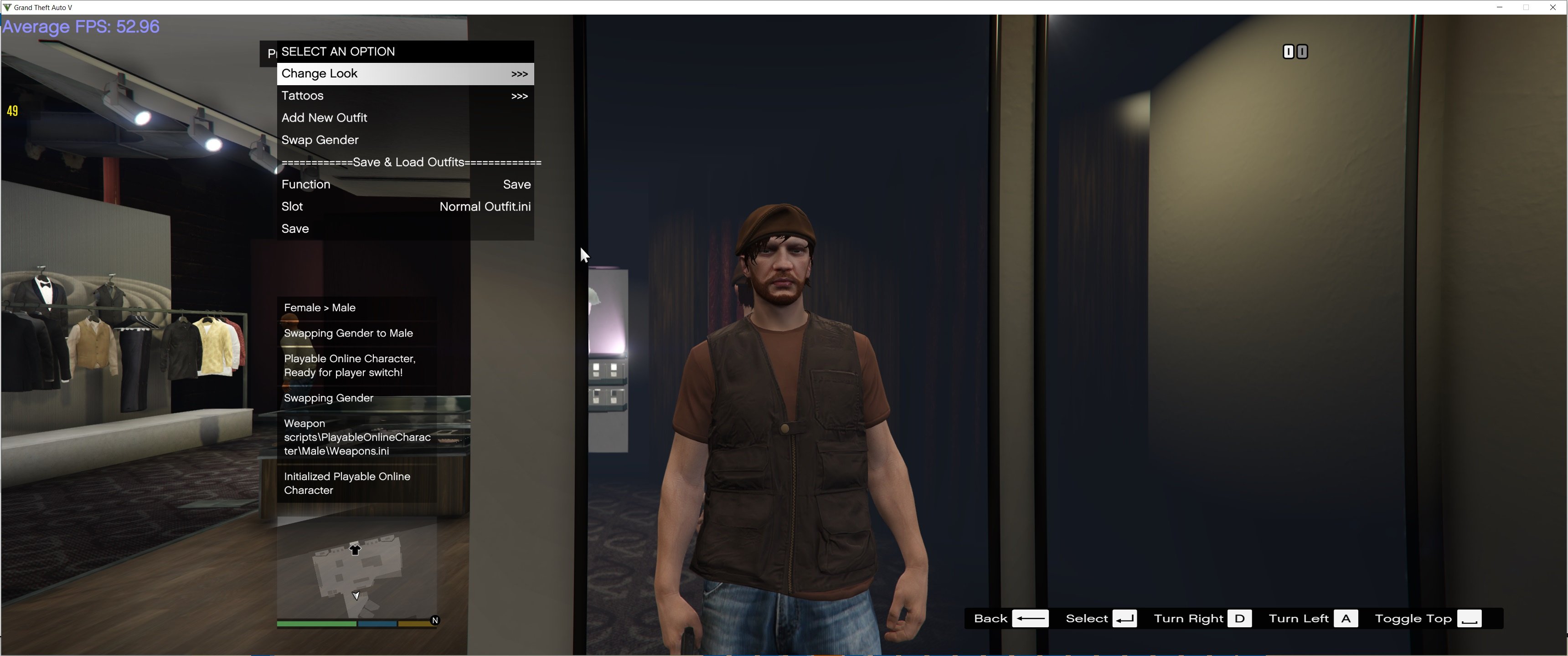
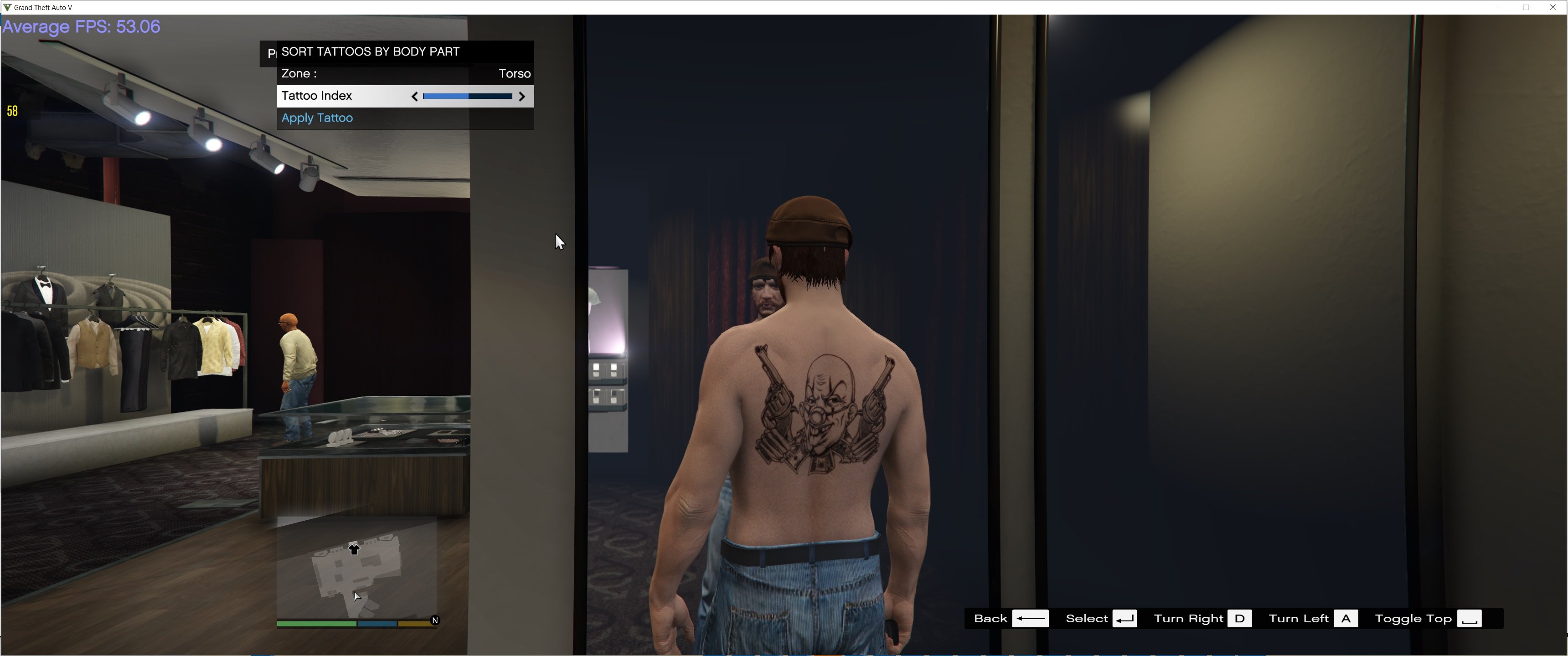
Customizing your Charater or changing slots can only be done at Ponsonbys walk to the back of the store where the mirrors are and there should be a marker for you to customize your charaters look from clothes, tattoos, face options and hair.
Import your GTA Online Character into POC
With 2.0 you can finally Import your very own character from GTA Online into Playable Online Character. here are the steps to do this
1. Load into game and DO NOT hit F10 to switch into POC Character and DO NOT HIT Insert to reload mods
2. go to a Ponsobonys and make sure the customization marker is active, it should say import Online Character into POC
3. go into Rockstar Editor > Director mode > Actors > Online characters > and change to your online character,
4. in the Ponsobonys, access the customization menu and go into Import Online Character Into POC > Pick the import option of your gender,
5. Once you get a notification saying Import was successful. You need to force reload POCs Saved Character, to do this hit F10.,
6. Return back to story mode, go into Rockstar Editor > director mode > exit to story.
7.You will now be back as one of the main protagonists. to swap back to your Online Character now hit F10
8. Once you reload your character. You may need to reapply your characters clothes they had on, open the POC's Interaction menu by hitting N go into Player Appearance, your Online Characters default clothes will be saved as new outfit called GTAOCharDefaultOutfit,
Importing Caveats
Tattoos & T-Shirt overlays won't be detected, as their is no get method for retrieving such data. However when you import your online character into POC, your Clothing, Props (Hats, Watches, Glasses), Facial Features, Facial Blend Data & Advanced Data ( Blemishes, Facial Hair, Eyebrows, Ageing, Makeup, Blush, Complexion, Sun Damage, Lipstick, Moles/Freckles, Chest Hair, Body Blemishes) will all be detected and saved.
Loading Character
The mod has built in functions for loading in a charater automatically and manually, however be warned that loading in a character automatically can lead to crashing and stability issues with GTAV (So its automatically disabled!). To manually load a character, wait till you get in game and press F10 (can be changed) once youve done this, make sure to check if cash actually works (sometimes it will load your character but cash wont work), if cash wont work, you can press F10 again to reload character.
Personal Vehicle
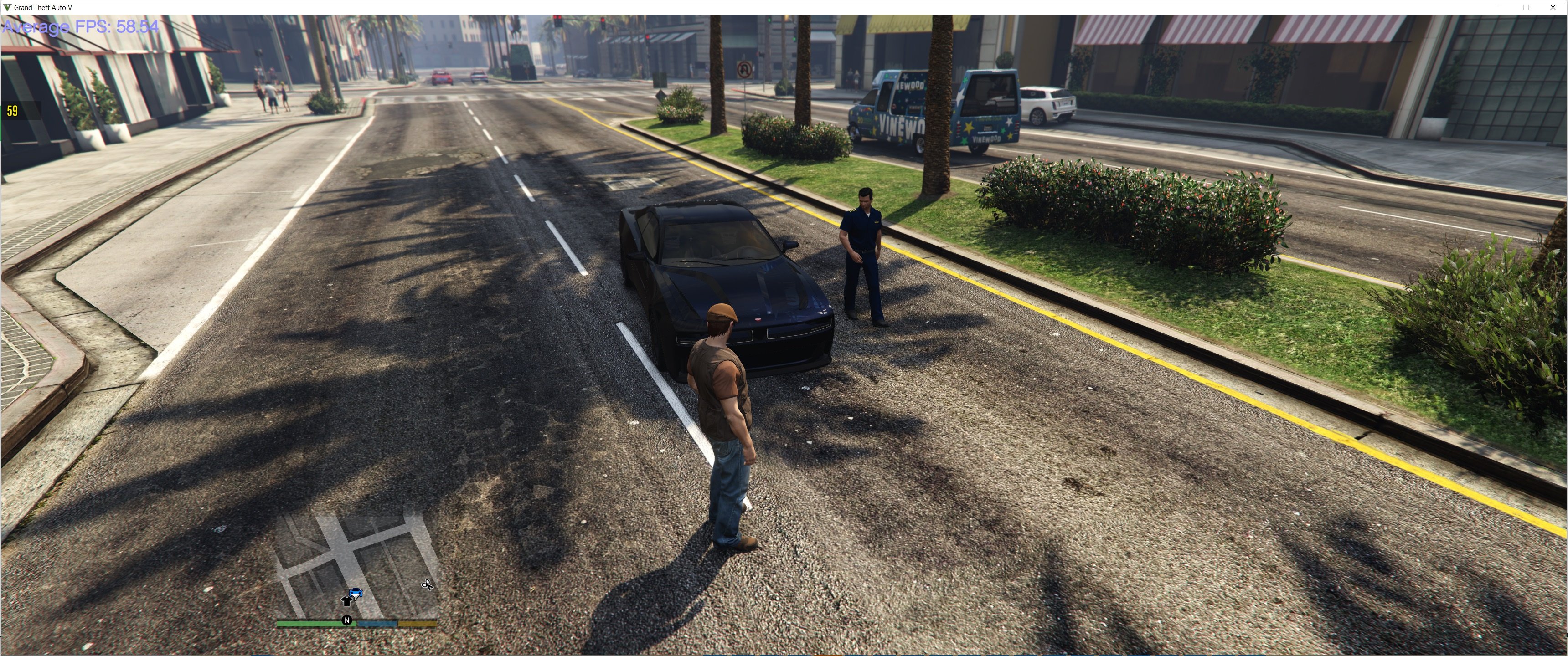
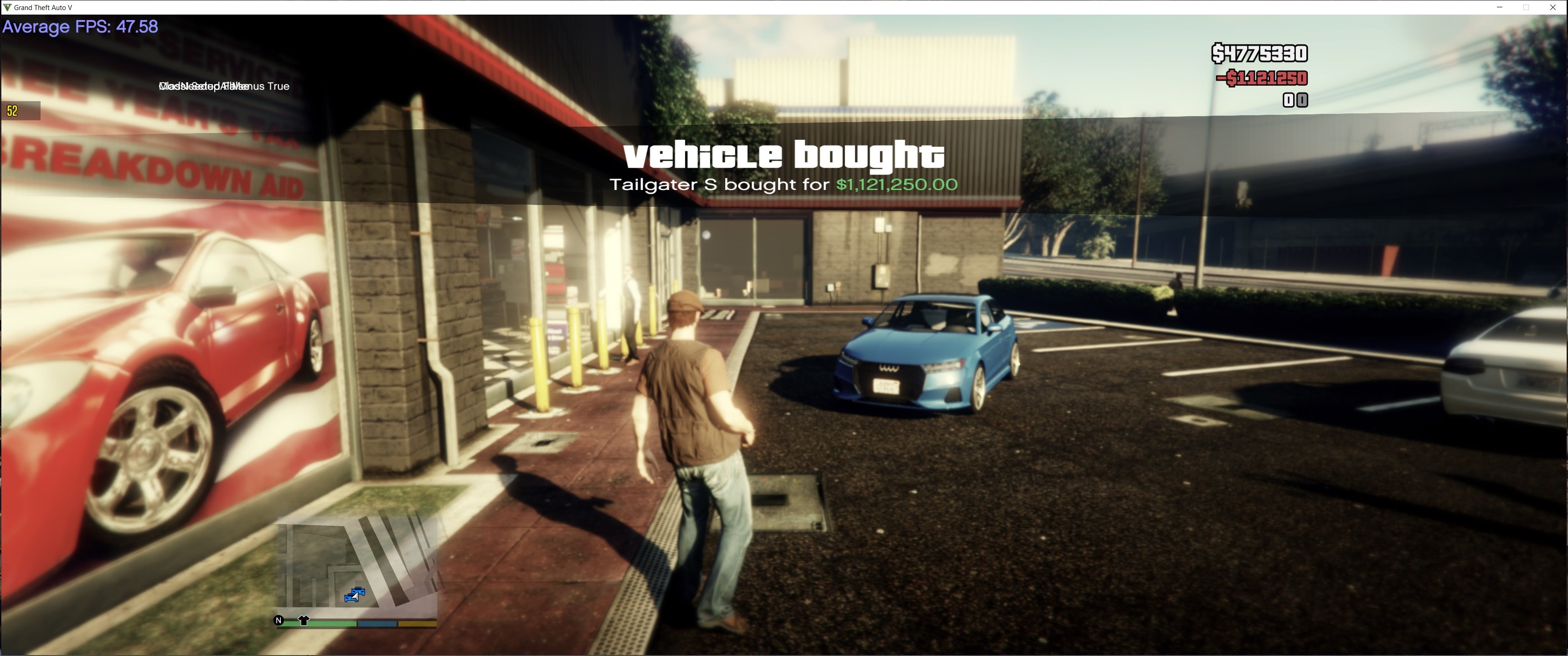
Each character (Male and Female Slot) has their own personal Vehice, a personal vehicle can be bought from the Vehicle Dealership (at simeons PDM), a personal vehicle is basically a persisant ride, its location saves where you last left it, any upgrades you make to it will also save.
Interaction Menu
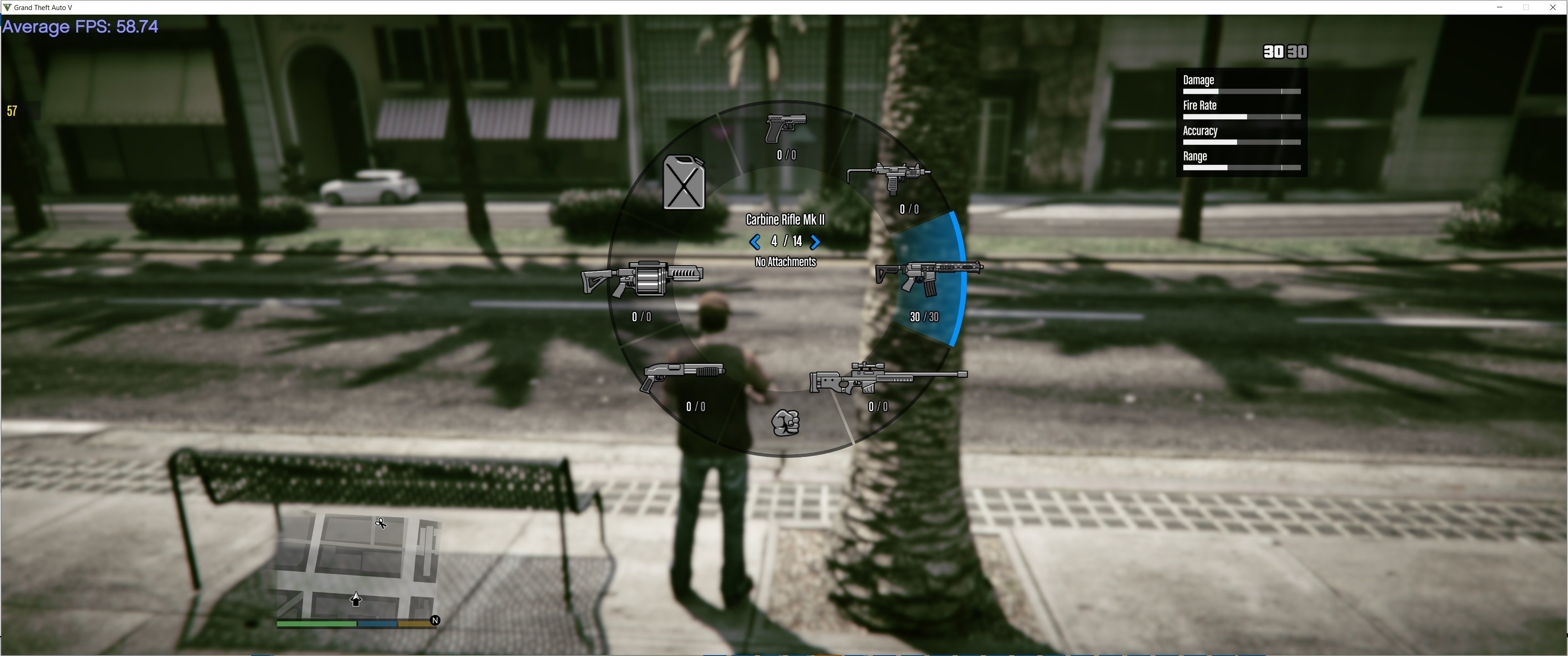
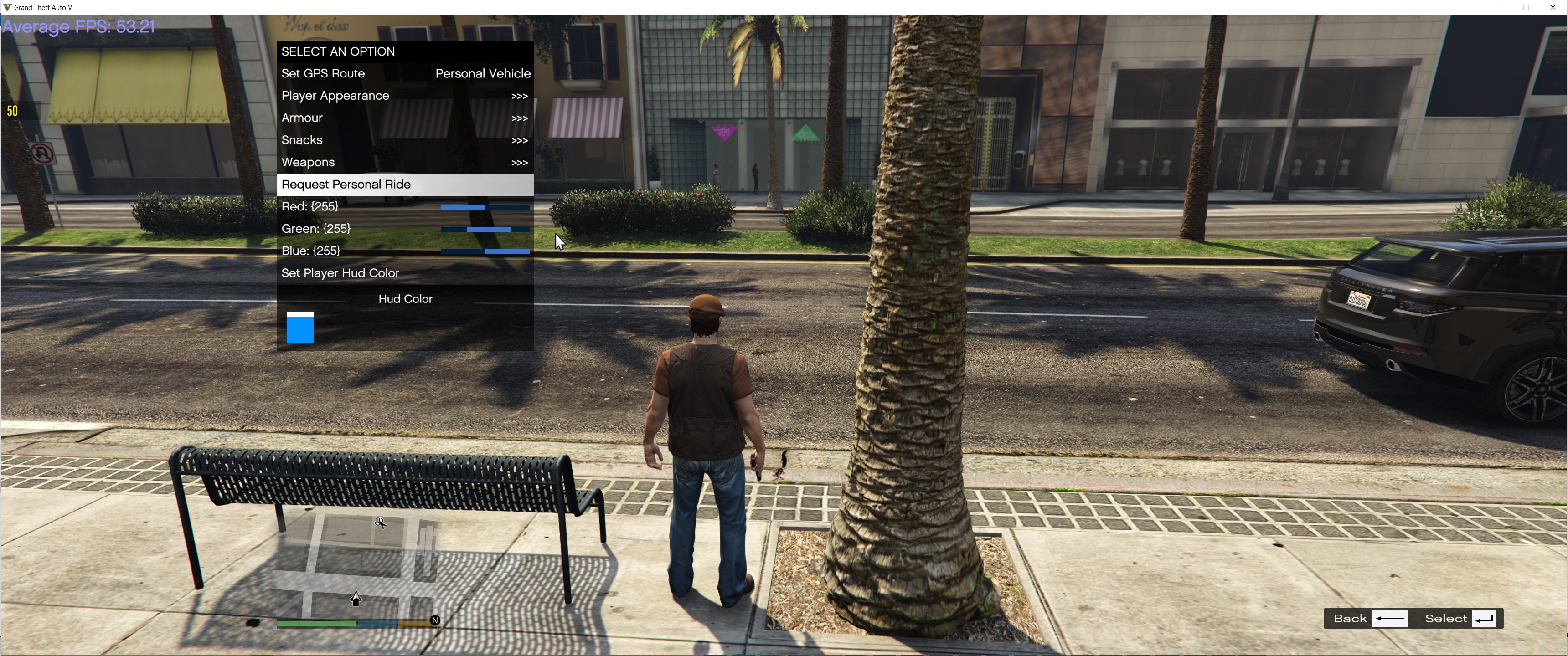
The mod comes with an Interaction menu replicating GTAO interaction, in the menu you can purchase snacks and armour, purchase ammo via catagory, edit your hud colors, or request your personal vehicle.
install
1. download and Install scripthookv + Scripthookvdotnet (latest Scripthookvdotnet nightly if your on the latest game patch)
2. create a scripts folder (named scripts and not Scripts) if you havent got one already
3. install LemonUI(if you havnt already got it for SHVDN3) there is a download link in the text file of the zip, copy the url into a browser, then a zip will be downloaded, drag the CONTENTS of the SHVDN3 folder into scripts
4. drag PlayableOnlineCharacter folder into scripts
5. drag PlayableOnlineCharacter.dll, PlayableOnlineCharacter.pdb into script
6 Launch game, and press F10 to change character manually when game has loaded
Update Log
1.8.1
update brings a few things, firstly you can now set he opacity of MP Character Features, such as Blemishes, Eyebrows , Ageing, Makeup, Blush, Complexion, Sun Damage, Lipstick, Moles/Freckles, Chest Hair , Body Blemishes, & Body Blemishes.
As well as this ive added a option to disable the ability bar, since MP Characters cant use it
And Finally the Green 420 Festival Outfit has also been added as a preset outfit
1.9
Cluckin'Bell Farm Raid Clothes Added
~Marabaunte Grande Gear
~Professionals Gear
~Military Gear
~Cluckin' Bell Uniform
2.0 Major Overhaul
~ Game crashing/freezing on hitting F10 has been finally fixed
~ Money also now works after you hit insert. Pre 2.0 update you would need to press F10 twice after staring game to get money to work. You now only need to press it once.
~ I've completely rewritten managing of Weapons, from saving and loading weapons, to more performance friendly of changes to weapons & their components, Ammo, and removal or adding of weapons. However the Primary
~ fix also comes with fully fixing MK2 special ammo not saving/loading correctly. All weapons now save ammo correctly,
~ The biggest and most important change in 2.0 is the ability To Import your actual GTAO Character into POC
~ Interaction menu has also had some updates, you can now customize your weapons via the interaction menu > weapons.
3.0
~Added support for GTAV Enhanced
3.1
added 3 new Halloween themed Outfits:
~The Buccaneer
~The Slasher Clown
~Gray Space Interloper Outfit
3.1.1
~Fix wrong IFruitaddon2 version in zip folder, this would only effect GTAV Enhanced
4.0
~added methods needed for GTAO mansions in SP
4.1
~changed Relaod Character key in Main.ini in download zip from f11 to f10
As of 4.1 Load Character key has been changed to F10 (Index 249)
Playable Online Character is a script that allows the user to play as a Multiplayer Male or Mutliplayer female, without the need to tinker with complicated character swap mods like Character Swap or Jupiter's Character Swap, the mod comes with an built in function for loading a character, and customizing said character, the mod comes with two slots for characters, one for Male, and one for Female, each character can be completly different, choose from over 500 Outfits premade from GTA Online.
Customizing Characters Look or Changing Slots
Customizing your Charater or changing slots can only be done at Ponsonbys walk to the back of the store where the mirrors are and there should be a marker for you to customize your charaters look from clothes, tattoos, face options and hair.
Import your GTA Online Character into POC
With 2.0 you can finally Import your very own character from GTA Online into Playable Online Character. here are the steps to do this
1. Load into game and DO NOT hit F10 to switch into POC Character and DO NOT HIT Insert to reload mods
2. go to a Ponsobonys and make sure the customization marker is active, it should say import Online Character into POC
3. go into Rockstar Editor > Director mode > Actors > Online characters > and change to your online character,
4. in the Ponsobonys, access the customization menu and go into Import Online Character Into POC > Pick the import option of your gender,
5. Once you get a notification saying Import was successful. You need to force reload POCs Saved Character, to do this hit F10.,
6. Return back to story mode, go into Rockstar Editor > director mode > exit to story.
7.You will now be back as one of the main protagonists. to swap back to your Online Character now hit F10
8. Once you reload your character. You may need to reapply your characters clothes they had on, open the POC's Interaction menu by hitting N go into Player Appearance, your Online Characters default clothes will be saved as new outfit called GTAOCharDefaultOutfit,
Importing Caveats
Tattoos & T-Shirt overlays won't be detected, as their is no get method for retrieving such data. However when you import your online character into POC, your Clothing, Props (Hats, Watches, Glasses), Facial Features, Facial Blend Data & Advanced Data ( Blemishes, Facial Hair, Eyebrows, Ageing, Makeup, Blush, Complexion, Sun Damage, Lipstick, Moles/Freckles, Chest Hair, Body Blemishes) will all be detected and saved.
Loading Character
The mod has built in functions for loading in a charater automatically and manually, however be warned that loading in a character automatically can lead to crashing and stability issues with GTAV (So its automatically disabled!). To manually load a character, wait till you get in game and press F10 (can be changed) once youve done this, make sure to check if cash actually works (sometimes it will load your character but cash wont work), if cash wont work, you can press F10 again to reload character.
Personal Vehicle
Each character (Male and Female Slot) has their own personal Vehice, a personal vehicle can be bought from the Vehicle Dealership (at simeons PDM), a personal vehicle is basically a persisant ride, its location saves where you last left it, any upgrades you make to it will also save.
Interaction Menu
The mod comes with an Interaction menu replicating GTAO interaction, in the menu you can purchase snacks and armour, purchase ammo via catagory, edit your hud colors, or request your personal vehicle.
install
1. download and Install scripthookv + Scripthookvdotnet (latest Scripthookvdotnet nightly if your on the latest game patch)
2. create a scripts folder (named scripts and not Scripts) if you havent got one already
3. install LemonUI(if you havnt already got it for SHVDN3) there is a download link in the text file of the zip, copy the url into a browser, then a zip will be downloaded, drag the CONTENTS of the SHVDN3 folder into scripts
4. drag PlayableOnlineCharacter folder into scripts
5. drag PlayableOnlineCharacter.dll, PlayableOnlineCharacter.pdb into script
6 Launch game, and press F10 to change character manually when game has loaded
Update Log
1.8.1
update brings a few things, firstly you can now set he opacity of MP Character Features, such as Blemishes, Eyebrows , Ageing, Makeup, Blush, Complexion, Sun Damage, Lipstick, Moles/Freckles, Chest Hair , Body Blemishes, & Body Blemishes.
As well as this ive added a option to disable the ability bar, since MP Characters cant use it
And Finally the Green 420 Festival Outfit has also been added as a preset outfit
1.9
Cluckin'Bell Farm Raid Clothes Added
~Marabaunte Grande Gear
~Professionals Gear
~Military Gear
~Cluckin' Bell Uniform
2.0 Major Overhaul
~ Game crashing/freezing on hitting F10 has been finally fixed
~ Money also now works after you hit insert. Pre 2.0 update you would need to press F10 twice after staring game to get money to work. You now only need to press it once.
~ I've completely rewritten managing of Weapons, from saving and loading weapons, to more performance friendly of changes to weapons & their components, Ammo, and removal or adding of weapons. However the Primary
~ fix also comes with fully fixing MK2 special ammo not saving/loading correctly. All weapons now save ammo correctly,
~ The biggest and most important change in 2.0 is the ability To Import your actual GTAO Character into POC
~ Interaction menu has also had some updates, you can now customize your weapons via the interaction menu > weapons.
3.0
~Added support for GTAV Enhanced
3.1
added 3 new Halloween themed Outfits:
~The Buccaneer
~The Slasher Clown
~Gray Space Interloper Outfit
3.1.1
~Fix wrong IFruitaddon2 version in zip folder, this would only effect GTAV Enhanced
4.0
~added methods needed for GTAO mansions in SP
4.1
~changed Relaod Character key in Main.ini in download zip from f11 to f10
Poprvé nahráno: 20. srpen 2024
Poslední aktulizace: 17. březen 2026
Last Downloaded: před 30 minutami
All Versions
3.2.1 (Fix changing input keys for reload/interaction menu not working)
1.715 stažení , 10,7 MB
04. leden 2026
2.2 (Fix Save New Ouftfit Button Wiping Clothes Menu data)
1.088 stažení , 10,7 MB
15. červenec 2025
382 Komentářů
More mods by HKH191:
- Mission
- Gameplay
- Player
- .Net
4.39
73.311
366
1.28.2 Fix Kosatka Script Crash
By HKH191
- Mission
- Gameplay
- .Net
4.51
62.193
408
5.1 (GTAO Mansions in SP Intergration, Bugfix #1)
By HKH191
.png "Executive Business")
- Mission
- Gameplay
- Weapons
- Featured
4.33
163.660
842
3.5.1 (Major Overhaul Part C, Stock Increase Major Bugfix from 3.5)
By HKH191
IMPORTANT! YOU NEED THIS TO PREVENT CRASHES WHEN SCROLLING THOUGH CLOTHES
As of 4.1 Load Character key has been changed to F10 (Index 249)
Playable Online Character is a script that allows the user to play as a Multiplayer Male or Mutliplayer female, without the need to tinker with complicated character swap mods like Character Swap or Jupiter's Character Swap, the mod comes with an built in function for loading a character, and customizing said character, the mod comes with two slots for characters, one for Male, and one for Female, each character can be completly different, choose from over 500 Outfits premade from GTA Online.
Customizing Characters Look or Changing Slots
Customizing your Charater or changing slots can only be done at Ponsonbys walk to the back of the store where the mirrors are and there should be a marker for you to customize your charaters look from clothes, tattoos, face options and hair.
Import your GTA Online Character into POC
With 2.0 you can finally Import your very own character from GTA Online into Playable Online Character. here are the steps to do this
1. Load into game and DO NOT hit F10 to switch into POC Character and DO NOT HIT Insert to reload mods
2. go to a Ponsobonys and make sure the customization marker is active, it should say import Online Character into POC
3. go into Rockstar Editor > Director mode > Actors > Online characters > and change to your online character,
4. in the Ponsobonys, access the customization menu and go into Import Online Character Into POC > Pick the import option of your gender,
5. Once you get a notification saying Import was successful. You need to force reload POCs Saved Character, to do this hit F10.,
6. Return back to story mode, go into Rockstar Editor > director mode > exit to story.
7.You will now be back as one of the main protagonists. to swap back to your Online Character now hit F10
8. Once you reload your character. You may need to reapply your characters clothes they had on, open the POC's Interaction menu by hitting N go into Player Appearance, your Online Characters default clothes will be saved as new outfit called GTAOCharDefaultOutfit,
Importing Caveats
Tattoos & T-Shirt overlays won't be detected, as their is no get method for retrieving such data. However when you import your online character into POC, your Clothing, Props (Hats, Watches, Glasses), Facial Features, Facial Blend Data & Advanced Data ( Blemishes, Facial Hair, Eyebrows, Ageing, Makeup, Blush, Complexion, Sun Damage, Lipstick, Moles/Freckles, Chest Hair, Body Blemishes) will all be detected and saved.
Loading Character
The mod has built in functions for loading in a charater automatically and manually, however be warned that loading in a character automatically can lead to crashing and stability issues with GTAV (So its automatically disabled!). To manually load a character, wait till you get in game and press F10 (can be changed) once youve done this, make sure to check if cash actually works (sometimes it will load your character but cash wont work), if cash wont work, you can press F10 again to reload character.
Personal Vehicle
Each character (Male and Female Slot) has their own personal Vehice, a personal vehicle can be bought from the Vehicle Dealership (at simeons PDM), a personal vehicle is basically a persisant ride, its location saves where you last left it, any upgrades you make to it will also save.
Interaction Menu
The mod comes with an Interaction menu replicating GTAO interaction, in the menu you can purchase snacks and armour, purchase ammo via catagory, edit your hud colors, or request your personal vehicle.
install
1. download and Install scripthookv + Scripthookvdotnet (latest Scripthookvdotnet nightly if your on the latest game patch)
2. create a scripts folder (named scripts and not Scripts) if you havent got one already
3. install LemonUI(if you havnt already got it for SHVDN3) there is a download link in the text file of the zip, copy the url into a browser, then a zip will be downloaded, drag the CONTENTS of the SHVDN3 folder into scripts
4. drag PlayableOnlineCharacter folder into scripts
5. drag PlayableOnlineCharacter.dll, PlayableOnlineCharacter.pdb into script
6 Launch game, and press F10 to change character manually when game has loaded
Update Log
1.8.1
update brings a few things, firstly you can now set he opacity of MP Character Features, such as Blemishes, Eyebrows , Ageing, Makeup, Blush, Complexion, Sun Damage, Lipstick, Moles/Freckles, Chest Hair , Body Blemishes, & Body Blemishes.
As well as this ive added a option to disable the ability bar, since MP Characters cant use it
And Finally the Green 420 Festival Outfit has also been added as a preset outfit
1.9
Cluckin'Bell Farm Raid Clothes Added
~Marabaunte Grande Gear
~Professionals Gear
~Military Gear
~Cluckin' Bell Uniform
2.0 Major Overhaul
~ Game crashing/freezing on hitting F10 has been finally fixed
~ Money also now works after you hit insert. Pre 2.0 update you would need to press F10 twice after staring game to get money to work. You now only need to press it once.
~ I've completely rewritten managing of Weapons, from saving and loading weapons, to more performance friendly of changes to weapons & their components, Ammo, and removal or adding of weapons. However the Primary
~ fix also comes with fully fixing MK2 special ammo not saving/loading correctly. All weapons now save ammo correctly,
~ The biggest and most important change in 2.0 is the ability To Import your actual GTAO Character into POC
~ Interaction menu has also had some updates, you can now customize your weapons via the interaction menu > weapons.
3.0
~Added support for GTAV Enhanced
3.1
added 3 new Halloween themed Outfits:
~The Buccaneer
~The Slasher Clown
~Gray Space Interloper Outfit
3.1.1
~Fix wrong IFruitaddon2 version in zip folder, this would only effect GTAV Enhanced
4.0
~added methods needed for GTAO mansions in SP
4.1
~changed Relaod Character key in Main.ini in download zip from f11 to f10
As of 4.1 Load Character key has been changed to F10 (Index 249)
Playable Online Character is a script that allows the user to play as a Multiplayer Male or Mutliplayer female, without the need to tinker with complicated character swap mods like Character Swap or Jupiter's Character Swap, the mod comes with an built in function for loading a character, and customizing said character, the mod comes with two slots for characters, one for Male, and one for Female, each character can be completly different, choose from over 500 Outfits premade from GTA Online.
Customizing Characters Look or Changing Slots
Customizing your Charater or changing slots can only be done at Ponsonbys walk to the back of the store where the mirrors are and there should be a marker for you to customize your charaters look from clothes, tattoos, face options and hair.
Import your GTA Online Character into POC
With 2.0 you can finally Import your very own character from GTA Online into Playable Online Character. here are the steps to do this
1. Load into game and DO NOT hit F10 to switch into POC Character and DO NOT HIT Insert to reload mods
2. go to a Ponsobonys and make sure the customization marker is active, it should say import Online Character into POC
3. go into Rockstar Editor > Director mode > Actors > Online characters > and change to your online character,
4. in the Ponsobonys, access the customization menu and go into Import Online Character Into POC > Pick the import option of your gender,
5. Once you get a notification saying Import was successful. You need to force reload POCs Saved Character, to do this hit F10.,
6. Return back to story mode, go into Rockstar Editor > director mode > exit to story.
7.You will now be back as one of the main protagonists. to swap back to your Online Character now hit F10
8. Once you reload your character. You may need to reapply your characters clothes they had on, open the POC's Interaction menu by hitting N go into Player Appearance, your Online Characters default clothes will be saved as new outfit called GTAOCharDefaultOutfit,
Importing Caveats
Tattoos & T-Shirt overlays won't be detected, as their is no get method for retrieving such data. However when you import your online character into POC, your Clothing, Props (Hats, Watches, Glasses), Facial Features, Facial Blend Data & Advanced Data ( Blemishes, Facial Hair, Eyebrows, Ageing, Makeup, Blush, Complexion, Sun Damage, Lipstick, Moles/Freckles, Chest Hair, Body Blemishes) will all be detected and saved.
Loading Character
The mod has built in functions for loading in a charater automatically and manually, however be warned that loading in a character automatically can lead to crashing and stability issues with GTAV (So its automatically disabled!). To manually load a character, wait till you get in game and press F10 (can be changed) once youve done this, make sure to check if cash actually works (sometimes it will load your character but cash wont work), if cash wont work, you can press F10 again to reload character.
Personal Vehicle
Each character (Male and Female Slot) has their own personal Vehice, a personal vehicle can be bought from the Vehicle Dealership (at simeons PDM), a personal vehicle is basically a persisant ride, its location saves where you last left it, any upgrades you make to it will also save.
Interaction Menu
The mod comes with an Interaction menu replicating GTAO interaction, in the menu you can purchase snacks and armour, purchase ammo via catagory, edit your hud colors, or request your personal vehicle.
install
1. download and Install scripthookv + Scripthookvdotnet (latest Scripthookvdotnet nightly if your on the latest game patch)
2. create a scripts folder (named scripts and not Scripts) if you havent got one already
3. install LemonUI(if you havnt already got it for SHVDN3) there is a download link in the text file of the zip, copy the url into a browser, then a zip will be downloaded, drag the CONTENTS of the SHVDN3 folder into scripts
4. drag PlayableOnlineCharacter folder into scripts
5. drag PlayableOnlineCharacter.dll, PlayableOnlineCharacter.pdb into script
6 Launch game, and press F10 to change character manually when game has loaded
Update Log
1.8.1
update brings a few things, firstly you can now set he opacity of MP Character Features, such as Blemishes, Eyebrows , Ageing, Makeup, Blush, Complexion, Sun Damage, Lipstick, Moles/Freckles, Chest Hair , Body Blemishes, & Body Blemishes.
As well as this ive added a option to disable the ability bar, since MP Characters cant use it
And Finally the Green 420 Festival Outfit has also been added as a preset outfit
1.9
Cluckin'Bell Farm Raid Clothes Added
~Marabaunte Grande Gear
~Professionals Gear
~Military Gear
~Cluckin' Bell Uniform
2.0 Major Overhaul
~ Game crashing/freezing on hitting F10 has been finally fixed
~ Money also now works after you hit insert. Pre 2.0 update you would need to press F10 twice after staring game to get money to work. You now only need to press it once.
~ I've completely rewritten managing of Weapons, from saving and loading weapons, to more performance friendly of changes to weapons & their components, Ammo, and removal or adding of weapons. However the Primary
~ fix also comes with fully fixing MK2 special ammo not saving/loading correctly. All weapons now save ammo correctly,
~ The biggest and most important change in 2.0 is the ability To Import your actual GTAO Character into POC
~ Interaction menu has also had some updates, you can now customize your weapons via the interaction menu > weapons.
3.0
~Added support for GTAV Enhanced
3.1
added 3 new Halloween themed Outfits:
~The Buccaneer
~The Slasher Clown
~Gray Space Interloper Outfit
3.1.1
~Fix wrong IFruitaddon2 version in zip folder, this would only effect GTAV Enhanced
4.0
~added methods needed for GTAO mansions in SP
4.1
~changed Relaod Character key in Main.ini in download zip from f11 to f10
Poprvé nahráno: 20. srpen 2024
Poslední aktulizace: 17. březen 2026
Last Downloaded: před 30 minutami
 5mods on Discord

For people having issues on the latest game patch with F11 not reloading POC character, you can change the reload key!, R* have added new keybinds to the game, so F11 is no longer 344, this is why when you hit f11 nothing happens, if you want to change the reload character key or interaction menu key you can do this by opening the PlayableOnlineCharacter folder, open Main.ini and look for INTERACTION_MENU_KEY (should be 306) and CHANGE_MODEL_MANUAL_KEY (should be 344), you can set these to 249/N, 57/F10
when i change the rebound key, is still not working
F11 key still not working
hi, im banned from gta online, and my online character is unavaible, how can I resolve
Hey ive been using this mod for years now LOVE the move, But now im having the errors *PlayableOnlineCharacter.ManageShootingRange"!
MissingFieldException at PlayableOnlineCharacter.ManageShootingRange.MainTick(
Object sender, EventArgs e)
Unhandled exception in script
*PlayableOnlineCharacter.Class1"!
MissingMethodException at PlayableOnlineCharacter.Classl.SetupGlobalMenus(). does anyone know how to fix this?
I tried to import my online char using the method from the description, but as i enter diretor mode it just went infinite loading, is it possible due to mods?
I have a problem where the character's facial structure doesn't load when I press F10 to load the mod. Every time I have to set the facial structure again. Is this normal or is it a bug?
@FairWilly you unfortunately have to re-create your player manually using the tools of the mod
getting tons of warning, while loading into sp
[21:51:43] [WARNING] A script tried to use a custom script instance of type HKHModHelperNew.Class1+WeaponModification that was not instantiated by ScriptHookVDotNet.
[21:59:30] [WARNING] A script tried to use a custom script instance of type PlayableOnlineCharacter.ManageWeapons+WeaponModification that was not instantiated by ScriptHookVDotNet.
in result im got crashing at the end, need full logs?
I love your workk! hopefully you can bring hat accesible for this mod.
can we switch to the main protagonists or no?
@HKH191 I started using this mod again after a whole year, and many things have improved; even the character face bug doesn't seem to be happening anymore. I'd like to request something for your mods, if possible in a future update. Is it possible for you to add a language system that adapts to the user's computer language or the game's language, something similar for each country? I ask because your mods are quite complex, and most use your modhelper to communicate with each other. Is it possible to adapt this language system for your mods in the future? By the way, your mods are very good.
@kranz Hey Kranz I have the same problem, what's your game version? Legacy or Enhanced?
@HKH191 Can i use this mod in enhanced version? My game always crashed after installing this mod, and i can't load my ol character well, when i load my character the POC's Interaction menu disappeared which means i couldn't change any clothes.
@Felix2001 yes you need SHVDN for Enhanced, not SHVDN nightly
@HKH191 Good evening, the N key isn't working. I installed the mod correctly, but the N key still isn't working.
So I have to downgrade to version 4.0 for the N key to work.
@CheseryOfficial try pressing shift N on newer patches
Why the characters always Dancing without touching any buttons, sometimes it stops sometimes it dancing, PLEASE TELL ME..
@HKH191 Whenever I import my online character from Director Mode the face data resets to default and isn't the face of my actual character. Am I supposed to edit the face myself after importing the character or is this some sort of error? I don't get any error messages or anything so I'm not sure if the face resetting to default is supposed to happen or not? This is on the Enhanced Version btw
@Dill_Skywalker check for keybinds in the ini, for GESTURE_KEY , then change it to a control index you dont use https://docs.fivem.net/docs/game-references/controls/
Adding everything from 4.1 makes the game get stuck on a black screen during boot. I used chatgpt to read the launcher logs and it told me HKHModHelperNew was the issue. I swapped that to the standalone download you have (but the folder from the mod) and that made the game load, but now the mod only partially works. I cannot access the interaction menu, and only the shooting range menu icon appears. I can force the game to autoload the MP character on boot, but still can't access the interaction menu, can't collect money, and do not see a marker at Ponsonbys to let me customize the model. Any idea what is going wrong? I'd really love to get this mod working!