Spin The Block (Drive-By) 1.0.0


721
16
721
16
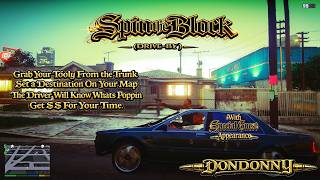
Spin The Block Drive By transforms GTA V into a fully interactive passenger drive by experience with structured mission flow, immersive vehicle behavior, and dynamic AI reactions. This mod lets you grab your weapon from the trunk, get high before sliding on the ops, ride as a passenger, lean out the window with GTA IV drive by animations installed, roll down your window to be a good guy, and run coordinated drive by jobs all while earning cash for your time.
/////////////////////////////
HOW IT WORKS Gameplay Flow
/////////////////////////////
1. MEET UP
Find your right hand man across the street from Franklins house. This man has never let you down.
2. Grab Your Weapon
Head to the trunk. Your mans already have a loaded tooly waiting for you.
3. Set Your Destination
Place a waypoint on the map. The driver automatically navigates to your selected location. The drive will slow down before you reach your destination. As soon as you start shooting the driver takes off, but only to spin the block on these fools.
4. Passenger Drive By Mode
Once moving, you can lean out of the vehicle and fire just like classic GTA IV style drive bys with GTA IV style drive by animations installed.
Window lean shooting
Dynamic camera adjustments
Smooth passenger animation transitions
5. Combat and Police Response
Toggle the ability for your right hand man to join in on the action and start blasting with you, or toggle police so you remain unwanted when committing these terrible but sometimes necessary actions.
6. Get Paid
Every fool you waste along the way will earn you hard earned money. Toggle the amount within the ini.
/////////////////////////////////////////////////////////////
Requirements
Make sure you have both of these installed and updated to the most recent versions
- ScriptHookV INSTALL THE CORECT VERSION FOR YOUR VERSION OF GTA 5
https://www.dev-c.com/gtav/scripthookv/
- ScriptHookVDotNetEnhanced YOU MUST USE THIS TO WORK ON LEGACY AND ENHANCED FAILING TO DO SO WILL CAUSE THE SCRIPT NOT TO LOAD) (MOST OF OLD LEGACY SCRIPTS WILL WORK WITH THIS VERSION
https://github.com/Chiheb-Bacha/ScriptHookVDotNetEnhanced
Highly Recommended for the Full Experience
GTA IV Driveby Animation 1.1 by WolfFire23309
https://www.gta5-mods.com/misc/gta-iv-driveby-animation-mod
Install extremely carefully. Make backups of original files.
If you do not know what you are doing at all, this is not suggested.
Important
It works on Enhanced but you must not put the 64C.RPF files in your mods folder. Put them directly into the 64C.RPF in the root folder. Use CodeWalker RPF Explorer to do this. Back up your original RPF before doing this to save yourself the headache.
/////////////////////////////////////////////////////////////////////
INSTALLATION Steam Version GTA V Enhanced or Legacy
Go to your Steam directory
SteamLibrary > steamapps > common > Grand Theft Auto V
This is the folder containing GTA5 Enhanced.exe
Usually located at C Program Files x86 Steam steamapps common Grand Theft Auto V Enhanced
Open the scripts folder inside your GTA V directory.
If you do not have a scripts folder, create one.
Drag and drop the following into the scripts folder
SpinTheBlock Drive By.dll
SpinTheBlock Drive By.ini
Launch GTA V. The mod will load automatically when the game starts.
That is it. If it does not load, double check that ScriptHookV and ScriptHookVDotNet are up to date and compatible with your game version.
/////////////////////////////////////////////////////////////////////////
/////////////////////////////
CONTROLS
/////////////////////////////
Open Trunk Hold Left D Pad
Grab Weapon Hold Left D Pad
Get High Before Sliding While In Vehicle Before Setting Waypoint Hold D Pad Right
Toggle Interior Light When Vehicle Moving Hold D Pad Left
Roll Down Window When Vehicle Moving Hold D Pad Right
Waypoint System Use in game map to set destination. You only need to do this once. The driver will return back to the waypoint and then back to the original spot by Franklins house.
Lean Drive By Mode Automatic when seated as passenger with GTA IV style animations installed
Fire Weapon Standard attack controls
Cancel Exit Job Leave the vehicle
Exact keys may be configured in the ini file.
---
Permissions
This mod is released for personal use only.
Reuploading, redistributing, modifying, reverse engineering, or including this mod in mod packs is not permitted without explicit written permission from
DonDonny / hanks905
/////////////////////////////
HOW IT WORKS Gameplay Flow
/////////////////////////////
1. MEET UP
Find your right hand man across the street from Franklins house. This man has never let you down.
2. Grab Your Weapon
Head to the trunk. Your mans already have a loaded tooly waiting for you.
3. Set Your Destination
Place a waypoint on the map. The driver automatically navigates to your selected location. The drive will slow down before you reach your destination. As soon as you start shooting the driver takes off, but only to spin the block on these fools.
4. Passenger Drive By Mode
Once moving, you can lean out of the vehicle and fire just like classic GTA IV style drive bys with GTA IV style drive by animations installed.
Window lean shooting
Dynamic camera adjustments
Smooth passenger animation transitions
5. Combat and Police Response
Toggle the ability for your right hand man to join in on the action and start blasting with you, or toggle police so you remain unwanted when committing these terrible but sometimes necessary actions.
6. Get Paid
Every fool you waste along the way will earn you hard earned money. Toggle the amount within the ini.
/////////////////////////////////////////////////////////////
Requirements
Make sure you have both of these installed and updated to the most recent versions
- ScriptHookV INSTALL THE CORECT VERSION FOR YOUR VERSION OF GTA 5
https://www.dev-c.com/gtav/scripthookv/
- ScriptHookVDotNetEnhanced YOU MUST USE THIS TO WORK ON LEGACY AND ENHANCED FAILING TO DO SO WILL CAUSE THE SCRIPT NOT TO LOAD) (MOST OF OLD LEGACY SCRIPTS WILL WORK WITH THIS VERSION
https://github.com/Chiheb-Bacha/ScriptHookVDotNetEnhanced
Highly Recommended for the Full Experience
GTA IV Driveby Animation 1.1 by WolfFire23309
https://www.gta5-mods.com/misc/gta-iv-driveby-animation-mod
Install extremely carefully. Make backups of original files.
If you do not know what you are doing at all, this is not suggested.
Important
It works on Enhanced but you must not put the 64C.RPF files in your mods folder. Put them directly into the 64C.RPF in the root folder. Use CodeWalker RPF Explorer to do this. Back up your original RPF before doing this to save yourself the headache.
/////////////////////////////////////////////////////////////////////
INSTALLATION Steam Version GTA V Enhanced or Legacy
Go to your Steam directory
SteamLibrary > steamapps > common > Grand Theft Auto V
This is the folder containing GTA5 Enhanced.exe
Usually located at C Program Files x86 Steam steamapps common Grand Theft Auto V Enhanced
Open the scripts folder inside your GTA V directory.
If you do not have a scripts folder, create one.
Drag and drop the following into the scripts folder
SpinTheBlock Drive By.dll
SpinTheBlock Drive By.ini
Launch GTA V. The mod will load automatically when the game starts.
That is it. If it does not load, double check that ScriptHookV and ScriptHookVDotNet are up to date and compatible with your game version.
/////////////////////////////////////////////////////////////////////////
/////////////////////////////
CONTROLS
/////////////////////////////
Open Trunk Hold Left D Pad
Grab Weapon Hold Left D Pad
Get High Before Sliding While In Vehicle Before Setting Waypoint Hold D Pad Right
Toggle Interior Light When Vehicle Moving Hold D Pad Left
Roll Down Window When Vehicle Moving Hold D Pad Right
Waypoint System Use in game map to set destination. You only need to do this once. The driver will return back to the waypoint and then back to the original spot by Franklins house.
Lean Drive By Mode Automatic when seated as passenger with GTA IV style animations installed
Fire Weapon Standard attack controls
Cancel Exit Job Leave the vehicle
Exact keys may be configured in the ini file.
---
Permissions
This mod is released for personal use only.
Reuploading, redistributing, modifying, reverse engineering, or including this mod in mod packs is not permitted without explicit written permission from
DonDonny / hanks905
Poprvé nahráno: 18. únor 2026
Poslední aktulizace: 19. únor 2026
Last Downloaded: 7 hours ago
16 Komentářů
More mods by DonDonny:
Spin The Block Drive By transforms GTA V into a fully interactive passenger drive by experience with structured mission flow, immersive vehicle behavior, and dynamic AI reactions. This mod lets you grab your weapon from the trunk, get high before sliding on the ops, ride as a passenger, lean out the window with GTA IV drive by animations installed, roll down your window to be a good guy, and run coordinated drive by jobs all while earning cash for your time.
/////////////////////////////
HOW IT WORKS Gameplay Flow
/////////////////////////////
1. MEET UP
Find your right hand man across the street from Franklins house. This man has never let you down.
2. Grab Your Weapon
Head to the trunk. Your mans already have a loaded tooly waiting for you.
3. Set Your Destination
Place a waypoint on the map. The driver automatically navigates to your selected location. The drive will slow down before you reach your destination. As soon as you start shooting the driver takes off, but only to spin the block on these fools.
4. Passenger Drive By Mode
Once moving, you can lean out of the vehicle and fire just like classic GTA IV style drive bys with GTA IV style drive by animations installed.
Window lean shooting
Dynamic camera adjustments
Smooth passenger animation transitions
5. Combat and Police Response
Toggle the ability for your right hand man to join in on the action and start blasting with you, or toggle police so you remain unwanted when committing these terrible but sometimes necessary actions.
6. Get Paid
Every fool you waste along the way will earn you hard earned money. Toggle the amount within the ini.
/////////////////////////////////////////////////////////////
Requirements
Make sure you have both of these installed and updated to the most recent versions
- ScriptHookV INSTALL THE CORECT VERSION FOR YOUR VERSION OF GTA 5
https://www.dev-c.com/gtav/scripthookv/
- ScriptHookVDotNetEnhanced YOU MUST USE THIS TO WORK ON LEGACY AND ENHANCED FAILING TO DO SO WILL CAUSE THE SCRIPT NOT TO LOAD) (MOST OF OLD LEGACY SCRIPTS WILL WORK WITH THIS VERSION
https://github.com/Chiheb-Bacha/ScriptHookVDotNetEnhanced
Highly Recommended for the Full Experience
GTA IV Driveby Animation 1.1 by WolfFire23309
https://www.gta5-mods.com/misc/gta-iv-driveby-animation-mod
Install extremely carefully. Make backups of original files.
If you do not know what you are doing at all, this is not suggested.
Important
It works on Enhanced but you must not put the 64C.RPF files in your mods folder. Put them directly into the 64C.RPF in the root folder. Use CodeWalker RPF Explorer to do this. Back up your original RPF before doing this to save yourself the headache.
/////////////////////////////////////////////////////////////////////
INSTALLATION Steam Version GTA V Enhanced or Legacy
Go to your Steam directory
SteamLibrary > steamapps > common > Grand Theft Auto V
This is the folder containing GTA5 Enhanced.exe
Usually located at C Program Files x86 Steam steamapps common Grand Theft Auto V Enhanced
Open the scripts folder inside your GTA V directory.
If you do not have a scripts folder, create one.
Drag and drop the following into the scripts folder
SpinTheBlock Drive By.dll
SpinTheBlock Drive By.ini
Launch GTA V. The mod will load automatically when the game starts.
That is it. If it does not load, double check that ScriptHookV and ScriptHookVDotNet are up to date and compatible with your game version.
/////////////////////////////////////////////////////////////////////////
/////////////////////////////
CONTROLS
/////////////////////////////
Open Trunk Hold Left D Pad
Grab Weapon Hold Left D Pad
Get High Before Sliding While In Vehicle Before Setting Waypoint Hold D Pad Right
Toggle Interior Light When Vehicle Moving Hold D Pad Left
Roll Down Window When Vehicle Moving Hold D Pad Right
Waypoint System Use in game map to set destination. You only need to do this once. The driver will return back to the waypoint and then back to the original spot by Franklins house.
Lean Drive By Mode Automatic when seated as passenger with GTA IV style animations installed
Fire Weapon Standard attack controls
Cancel Exit Job Leave the vehicle
Exact keys may be configured in the ini file.
---
Permissions
This mod is released for personal use only.
Reuploading, redistributing, modifying, reverse engineering, or including this mod in mod packs is not permitted without explicit written permission from
DonDonny / hanks905
/////////////////////////////
HOW IT WORKS Gameplay Flow
/////////////////////////////
1. MEET UP
Find your right hand man across the street from Franklins house. This man has never let you down.
2. Grab Your Weapon
Head to the trunk. Your mans already have a loaded tooly waiting for you.
3. Set Your Destination
Place a waypoint on the map. The driver automatically navigates to your selected location. The drive will slow down before you reach your destination. As soon as you start shooting the driver takes off, but only to spin the block on these fools.
4. Passenger Drive By Mode
Once moving, you can lean out of the vehicle and fire just like classic GTA IV style drive bys with GTA IV style drive by animations installed.
Window lean shooting
Dynamic camera adjustments
Smooth passenger animation transitions
5. Combat and Police Response
Toggle the ability for your right hand man to join in on the action and start blasting with you, or toggle police so you remain unwanted when committing these terrible but sometimes necessary actions.
6. Get Paid
Every fool you waste along the way will earn you hard earned money. Toggle the amount within the ini.
/////////////////////////////////////////////////////////////
Requirements
Make sure you have both of these installed and updated to the most recent versions
- ScriptHookV INSTALL THE CORECT VERSION FOR YOUR VERSION OF GTA 5
https://www.dev-c.com/gtav/scripthookv/
- ScriptHookVDotNetEnhanced YOU MUST USE THIS TO WORK ON LEGACY AND ENHANCED FAILING TO DO SO WILL CAUSE THE SCRIPT NOT TO LOAD) (MOST OF OLD LEGACY SCRIPTS WILL WORK WITH THIS VERSION
https://github.com/Chiheb-Bacha/ScriptHookVDotNetEnhanced
Highly Recommended for the Full Experience
GTA IV Driveby Animation 1.1 by WolfFire23309
https://www.gta5-mods.com/misc/gta-iv-driveby-animation-mod
Install extremely carefully. Make backups of original files.
If you do not know what you are doing at all, this is not suggested.
Important
It works on Enhanced but you must not put the 64C.RPF files in your mods folder. Put them directly into the 64C.RPF in the root folder. Use CodeWalker RPF Explorer to do this. Back up your original RPF before doing this to save yourself the headache.
/////////////////////////////////////////////////////////////////////
INSTALLATION Steam Version GTA V Enhanced or Legacy
Go to your Steam directory
SteamLibrary > steamapps > common > Grand Theft Auto V
This is the folder containing GTA5 Enhanced.exe
Usually located at C Program Files x86 Steam steamapps common Grand Theft Auto V Enhanced
Open the scripts folder inside your GTA V directory.
If you do not have a scripts folder, create one.
Drag and drop the following into the scripts folder
SpinTheBlock Drive By.dll
SpinTheBlock Drive By.ini
Launch GTA V. The mod will load automatically when the game starts.
That is it. If it does not load, double check that ScriptHookV and ScriptHookVDotNet are up to date and compatible with your game version.
/////////////////////////////////////////////////////////////////////////
/////////////////////////////
CONTROLS
/////////////////////////////
Open Trunk Hold Left D Pad
Grab Weapon Hold Left D Pad
Get High Before Sliding While In Vehicle Before Setting Waypoint Hold D Pad Right
Toggle Interior Light When Vehicle Moving Hold D Pad Left
Roll Down Window When Vehicle Moving Hold D Pad Right
Waypoint System Use in game map to set destination. You only need to do this once. The driver will return back to the waypoint and then back to the original spot by Franklins house.
Lean Drive By Mode Automatic when seated as passenger with GTA IV style animations installed
Fire Weapon Standard attack controls
Cancel Exit Job Leave the vehicle
Exact keys may be configured in the ini file.
---
Permissions
This mod is released for personal use only.
Reuploading, redistributing, modifying, reverse engineering, or including this mod in mod packs is not permitted without explicit written permission from
DonDonny / hanks905
Poprvé nahráno: 18. únor 2026
Poslední aktulizace: 19. únor 2026
Last Downloaded: 7 hours ago
 5mods on Discord

Please add a video to display your mod
@Biggdogg i dont have video editing software, ive uploaded images of the ingame sequence and detailed description, what are my options?
nice , ill try it and come give feedback
does this only work for franklin
@icyihateuu22 i am honestly not 100% sure i wrote it to be for all players but i havent tested fully with michael or trevor. i really cant see their being an issue. you can change the location the driver spawns at the end of the ini file if you wanna put him in sandyshores and try er out.
It looks pretty good. I have ScriptHookV and everything updated, but I wait about 15 minutes at Franklin’s house and nobody shows up. Am I doing something wrong?
@byFaux the script should instantly spawn the vehicle across the street from franklins house by the church, if its not there, the script is not loaded. please first ensure that you have the scripthookv dot net enhanced downloaded (THE ONE IN THE DESCRIPTION OF THIS SCRIPT) and put all the shvdn files into your root folder (replacing other shvdn's ) along with MinHook.x64.dll thats provided in the zip file
if you have done that, youll have to check your ScriptHookVDotNet.log in your root folder, and search for Spin The Block (Drive-By).dll paste here what it says (if its not there) ensure the script is actually in your scripts folder and not within a folder somewhere else.
Failed to load script assembly Spin The Block (Drive-By).dll when searching for script types because there is an assembly that the script tried to load as a dependency but couldn't.
Exception message: One or more required types cannot be loaded. Retrieve the LoaderExceptions property for more information.
First LoaderException message (which tells what assembly is missing):
System.IO.FileNotFoundException: Could not load file or assembly 'ScriptHookVDotNet3, Version=3.9.0.0, Culture=neutral, PublicKeyToken=null' or one of its dependencies. The system cannot find the file specified.
File name: 'ScriptHookVDotNet3, Version=3.9.0.0, Culture=neutral, PublicKeyToken=null
@byFaux
You installed an older SHVDN (3.6/3.5 etc.) → NOT THE ONE I HAVE POSTED IN DESCRIPTION
OR
You put ScriptHookVDotNet3.dll inside /scripts instead of the root folder
OR
YOU have multiple GTA folders / wrong install directory. YOU INSTALLED THE SCRIPTHOOK V DOT NET POSTED IN THE REQUIRMENTS TO THE WRONG FOLDER (IT SHOULD BE WHERE YOUR GTAV ENHANCED.EXE IS )
OPEN YOUR GTA FOLDER , DO YOU SEE ScriptHookVDotNet3.dll IF NOT AGAIN DOWNLOAD THE REQUIRMENTS
THAN PUT THE FILES FROM THIS MOD, INTO YOUR SCRIPTS FOLDER
game freezes when im aiming towards driver and tracy in first person. very frustrating. im using the drive-by mod aswell.
@doinkstheftauto okok ill look into this ive personally never aimed at them haha ill get back if i can recreate. and try and get a fix going. thanks for fedback
@DonDonny Sup man top tier mod btw .
I may have found the issue on my end. I was using IVCARJACK script which made the driver want to run away when aiming AT them and it crashed the game completely! the driver and tracy are locked to the car so that was the culprit of everything.
@doinkstheftauto cheers thank you, thanks for getting back. i can probably get an option going in the ini to toggle them being attached to the car. im just not sure if thatll work with that mod if they have the aiming distance based in like a radius, or if it when your aiming directly at the npc. if you know thatd be bless im trying to make this script as compatible as possible
@DonDonny Yeah man ivcarjack was the issue so i just removed the script. dont worry about all that extra stuff. Everything was working fine today . IF you can find a way to add different cars that would be sick!
spintheblock
nice